Stop Sending Google Ads to Your Homepage — HVAC Playbook
Most HVAC contractors send paid traffic to their homepage and wonder why it doesn't convert. Here's the landing page framework that 3-5x conversion rates.
You’re spending $3,000/month on Google Ads. Someone searches “AC repair Dallas,” clicks your ad, and lands on… your homepage. Which talks about your company history, lists six different services, and has a photo carousel that takes 4 seconds to load.
They hit back. You just paid $40 for nothing.
This is the most common and most expensive mistake in HVAC digital marketing. And it’s almost universal — most HVAC websites we audit send all traffic to a generic homepage regardless of what the person searched for.
Why homepages don’t convert paid traffic
A homepage is designed to serve everyone: people who Googled your company name, existing customers looking for your phone number, job applicants, vendor reps. It tries to do everything and converts nobody.
A person who searched “emergency AC repair near me” has one specific need. They don’t want to read about your company values. They want to know: can you fix their AC, can you do it today, and how much does it cost.
Your homepage doesn’t answer any of those questions above the fold. A landing page does.
The numbers make it clear
Here’s the typical conversion rate by destination:
| Traffic Destination | Conversion Rate | Result (100 clicks at $40 each) |
|---|---|---|
| Homepage | 2-3% | 2-3 leads for $4,000 |
| Generic “Services” page | 3-5% | 3-5 leads for $4,000 |
| Dedicated landing page | 8-15% | 8-15 leads for $4,000 |
Same $4,000 ad spend. The dedicated landing page generates 3-5x more leads. The only variable is where you send the traffic.
The HVAC landing page framework
Above the fold (first screen, no scrolling)
This is the only part that matters for 60-70% of visitors. If you don’t convince them here, they won’t scroll.
- Headline matching the search term: “Emergency AC Repair in Dallas — Same-Day Service”
The headline must mirror what the visitor searched. If they searched “furnace installation Fort Worth,” the headline should be “Furnace Installation in Fort Worth.” This immediate relevance tells the visitor “I’m in the right place” — a crucial signal in the first 2 seconds.
- Click-to-call button: Large, tappable, impossible to miss
On mobile, this should be at least 56x56 pixels with high-contrast colors. Text like “Call Now — Available Today” or “Tap to Call — Free Estimate.” Make the action and the benefit clear in the button text.
- Three trust signals: “Licensed & Insured” | “4.9 Stars (500+ Reviews)” | “24/7 Emergency Service”
These should be visible without scrolling. Use badges, icons, or simple text with checkmarks. Three signals is the sweet spot — enough to build trust, not enough to create clutter.
- Simple form: Name, phone, “What’s the issue?” — three fields max
Place the form next to (not below) the CTA button. Some visitors prefer to call; some prefer to submit a form. Give them both options above the fold.
That’s it. No navigation menu. No links to other pages. No distractions. The only actions available are: call, fill out the form, or scroll for more info.
Below the fold
For the 30-40% of visitors who scroll before converting, provide supporting content that builds confidence:
- Social proof: 3-4 recent Google reviews with star ratings
Show reviews that mention the specific service this page is about. On an AC repair landing page, a review saying “They fixed my AC in 2 hours on a Saturday” is more persuasive than a generic “great service” review.
- What to expect: “1. Call us → 2. Technician dispatched within 2 hours → 3. Upfront pricing before we start”
A clear, numbered process removes uncertainty. The visitor knows exactly what happens when they call. This is especially important for first-time customers who’ve never hired an HVAC contractor before.
- Pricing transparency: “AC repair starts at $150. Free diagnostic with any repair.”
Price ranges reduce sticker shock and pre-qualify leads. A visitor who sees “$150-$500 for most repairs” and still calls is a qualified lead. Without pricing, you get more “just checking” calls that waste your dispatcher’s time.
- Common questions with answers: 4-5 questions homeowners typically ask
- “How quickly can you get here?”
- “Do you charge for the diagnostic?”
- “What if I need a new system instead of a repair?”
- “Do you offer financing?”
- “Are you licensed and insured?”
Answer each one in 1-2 sentences. Clear, specific, factual. These answers remove the last objections before the visitor picks up the phone.
- Second CTA: Repeat the phone number and form
After scrolling through reviews, process, pricing, and answers, the visitor is ready to act. Give them a second chance to call or submit the form without scrolling back up.
What to leave out
- Navigation bar — remove it entirely. You don’t want them clicking to your About page or Blog. Every link away from this page is a leak in your conversion funnel.
- Links to other services — they searched for AC repair, not furnace installation. Don’t distract them with services they didn’t ask about.
- Company history — they don’t care right now. Save it for visitors who Google your company name and land on your homepage.
- Image carousels — they slow the page, distract from the CTA, and reduce conversions. Static images are more effective.
- “Request a quote” as the only CTA — too vague and implies waiting. Use action-specific CTAs: “Schedule AC Repair” or “Get Same-Day Service.”
One page per service, per city
The magic happens when you create unique landing pages for each ad group:
- “AC Repair Dallas” → landing page about AC repair in Dallas
- “Furnace Installation Fort Worth” → landing page about furnace installation in Fort Worth
- “Emergency HVAC Plano” → landing page about emergency service in Plano
Each page matches the search intent perfectly. The headline mirrors what they searched. The content addresses their specific concern. The CTA is relevant to their need.
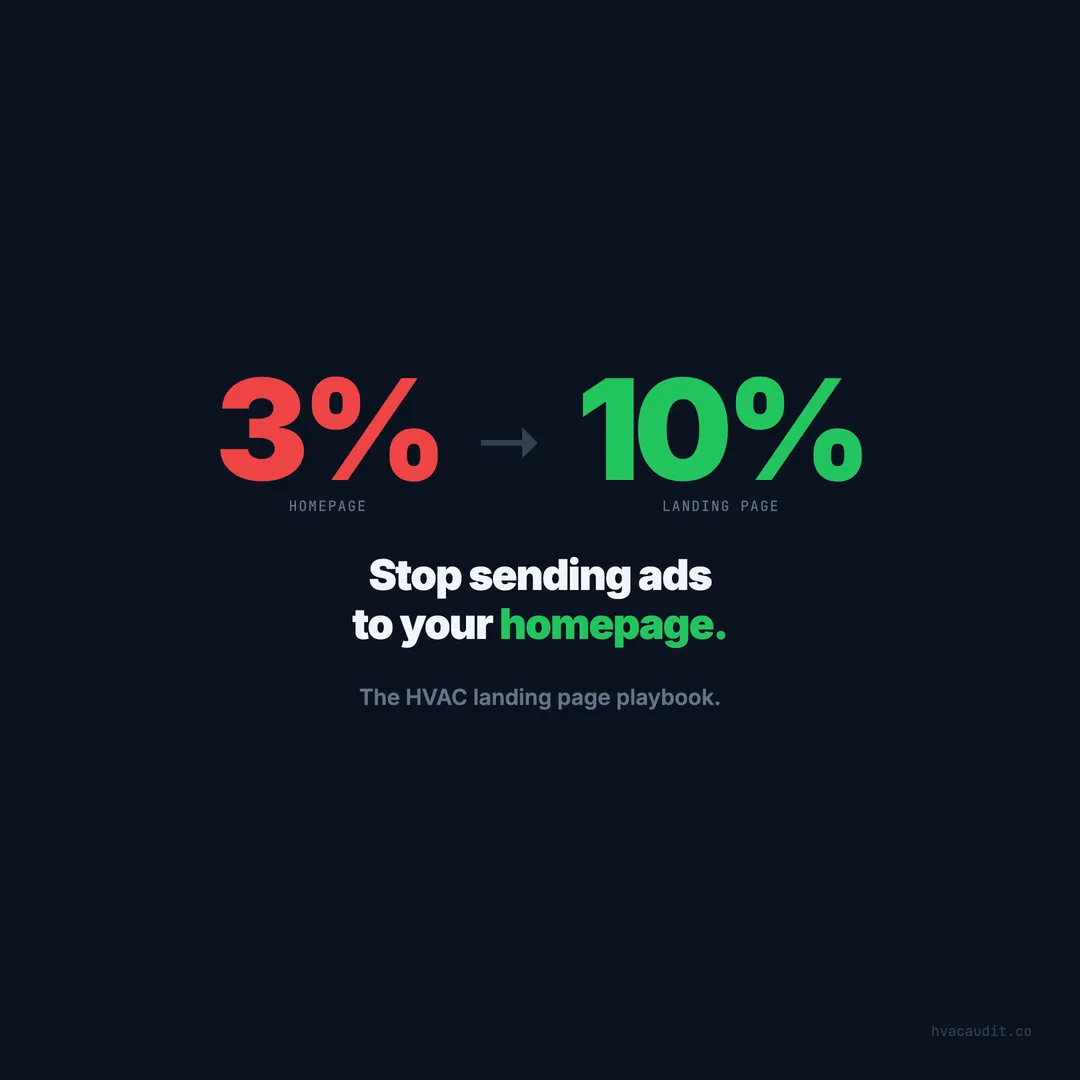
This is how you go from a 2-3% conversion rate (homepage) to an 8-15% conversion rate (dedicated landing page). Same ad spend, 3-5x more leads.
How many landing pages to start with
You don’t need 30 landing pages on day one. Start with your highest-spend ad groups:
- Your #1 service (usually AC repair or emergency HVAC) → 1 landing page
- Your #1 city → tailor that landing page to your highest-volume city
- Test for 30 days → compare conversion rate to your homepage
Once you see the difference (you will), build additional pages:
Priority order for HVAC landing pages:
- AC repair + main city
- Emergency HVAC + main city
- AC installation + main city
- AC repair + second city
- Furnace repair + main city
- Continue expanding by service and city
Each page takes 2-4 hours to build. The first one takes the longest because you’re creating the template. Subsequent pages can be built faster because the framework is established.
The math
| Scenario | Monthly Spend | Clicks | Conv. Rate | Leads | Cost/Lead |
|---|---|---|---|---|---|
| Homepage | $3,000 | 100 | 3% | 3 | $1,000 |
| Landing page | $3,000 | 100 | 10% | 10 | $300 |
Same budget. Same clicks. Triple the leads. The only difference is where you send the traffic.
At a 25% close rate on organic/PPC leads, that’s the difference between 1 new customer per month and 2-3. At $1,500 average ticket, that’s $3,000/month in additional revenue from a page that costs nothing extra once built.
Annual impact
| Metric | Homepage | Landing Page |
|---|---|---|
| Monthly ad spend | $3,000 | $3,000 |
| Monthly leads | 3 | 10 |
| Monthly customers (25% close) | 0.75 | 2.5 |
| Monthly revenue (at $1,500 avg) | $1,125 | $3,750 |
| Annual revenue | $13,500 | $45,000 |
| Annual ad spend | $36,000 | $36,000 |
| Annual ROI | -$22,500 | +$9,000 |
With a homepage, you’re losing money on Google Ads. With landing pages, you’re profitable. Same budget. Same market. Same services. Different destination.
Testing and optimization
Once your landing page is live, optimize it over time:
A/B test these elements first
- Headline — test different headlines to see which converts higher. “AC Repair in Dallas — Same-Day Service” vs. “Dallas AC Repair — Free Diagnostic, No Trip Fee”
- CTA button text — “Call Now” vs. “Schedule Repair” vs. “Get Same-Day Service”
- Form fields — 3 fields vs. 4 fields (adding “preferred time” sometimes helps, sometimes hurts)
- Social proof — test different review positions and counts
What to measure
- Conversion rate — percentage of visitors who call or submit the form
- Cost per lead — total ad spend divided by total leads
- Lead quality — are the leads from the landing page converting to booked jobs at the same rate or better?
- Call duration — longer calls usually mean higher-quality leads
Track everything with call tracking so you can attribute each lead to its source, keyword, and landing page.
Common objections
“I don’t have time to build 10 different landing pages.”
You don’t need 10 on day one. Start with your highest-spend ad group. Build one landing page. Test it for 30 days. When it outperforms your homepage (it will), build the next one. Each subsequent page takes less time because you’re following an established template.
“Won’t removing the navigation hurt SEO?”
Landing pages for paid traffic don’t need to rank organically. They exist solely for ad clicks. Your regular service pages handle organic SEO. These are two different assets serving two different purposes.
“My web designer says the homepage is fine.”
Look at your data. What’s your Google Ads conversion rate? If it’s under 5%, your website is the problem, not your ads. Share the conversion math from above — it’s hard to argue with 3x more leads at the same spend.
“Isn’t this just duplicating content?”
No. Landing pages have different content than service pages. Landing pages are conversion-focused (minimal content, maximum CTA). Service pages are SEO-focused (detailed content, keyword targeting). They serve different audiences arriving from different channels.
Start here
- Identify your highest-spend Google Ads campaign
- Build one dedicated landing page matching that search intent
- A/B test it against your homepage for 30 days
- Measure the difference in conversion rate
- Scale what works — build pages for your next highest-spend campaigns
You’ll never send paid traffic to your homepage again.
If your ads are running but leads aren’t coming in, the landing page is usually the bottleneck. See the full diagnostic for when ads aren’t working because of your website.
Keep reading
Want to know your score?
Drop your URL — full report in 48 hours.
We're on it.
Report in your inbox within 48 hours.